Using DeepSeek with Groq and Brave
Introduction
In the rapidly evolving landscape of AI technology, finding the right balance between performance and privacy can be challenging. This guide introduces you to Groq's high-performance inference platform, offering enhanced data privacy compared to closed-source providers and those with varying business models and motivations.
Who Is This Guide For?
This guide is perfect for:
- AI Newcomers: Those taking their first steps beyond ChatGPT into the broader AI ecosystem
- DeepSeek Users: Current users of chat.deepseek.com and/or DeepSeek mobile apps
- Privacy-Conscious Users: Those interested in DeepSeek models but seeking more control over their data
This guide is not for:
- Employing rogue technology in a business environment or in any unauthorized manner.
Quick Setup Guide
Prerequisites
Before getting started, you'll need to:
- Create a Groq account at console.groq.com/login
- Generate an API key at console.groq.com/keys
🔒 Security Note: Treat your API key like a password - keep it secure and never share it publicly.
Three Ways to Access Groq
1. Zero Setup: Web Interface
The fastest way to get started is through Groq's web interface:
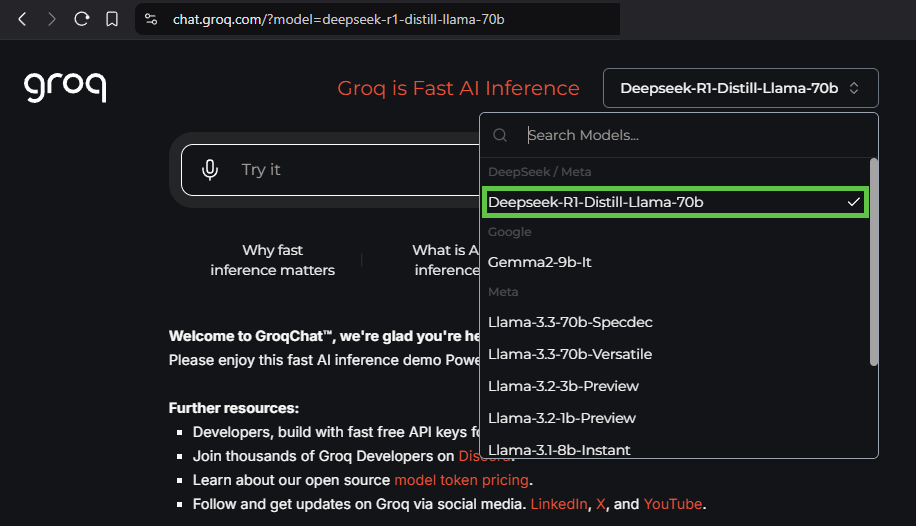
- Visit chat.groq.com
- Select "Deepseek-R1-Distil-Llama-70b" from the model dropdown in the top right corner
2. Quick Setup: Brave Browser Integration
For a balance of ease and privacy, follow these steps:
-
Generate your Groq API key at console.groq.com/keys
-
Install Brave Browser
-
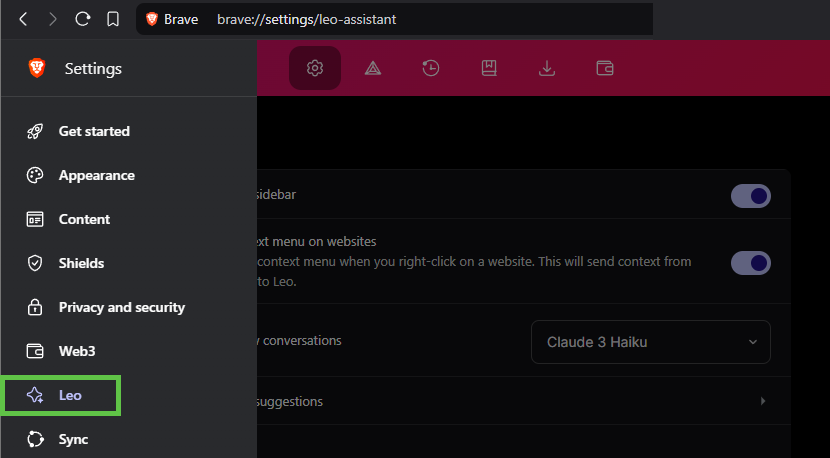
Access Leo settings:
-
Configure your model:
-
Click "Add new model"
-
Use these settings:
Label: [Your chosen name]Model request name: deepseek-r1-distill-llama-70bServer Endpoint: https://api.groq.com/openai/v1/chat/completionsAPI Key: [Your Groq API key]
-
3. Advanced Setup: Open WebUI
For users seeking maximum customization, check out the Open WebUI project on GitHub.
Last updated: January 28, 2025